 M10 Docs
Function Shortcuts
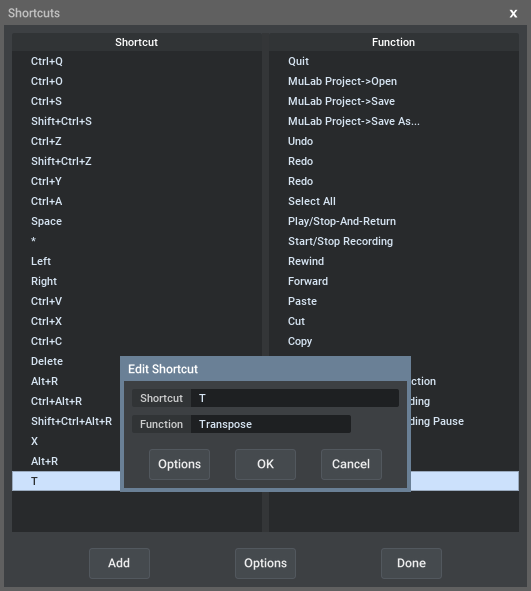
Most functions are available via so called 'context menus'. When you right-click on a certain object, then a menu pops up showing a list of functions that are relevant to that object.
But when you have to access the same function many times, it can become a bit tedious having to navigate the context menu all the time.
That's where the Function Shortcuts become a helping hand, for you can map a computer key to a certain context function, then pressing that key triggers that context function!
An example: Imagine you want a quick way to Transpose a Sequence.
- Go to the Edit menu -> Preferences -> Shortcuts
- Press [Insert], or double-click below the last line so to create a new shortcut
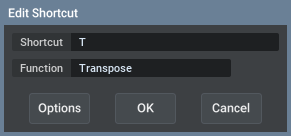
- Press [T], and select Specific->Sequence->Transpose
- Click 'OK'
- Click 'Done'
Now wherever you press T, the app will look for the relevant sequence and trigger its Transpose function. Simple, but very effective!
And besides using computer keys to trigger context functions, you can also use incoming MIDI events to trigger context functions. This allows you, for example, to start/stop the sequencer using a MIDI controller event! How to set this up? The same way as when setting up a key shortcut, but instead of pressing a key, you send a MIDI event so the app 'learns' what you want.
GUI focus
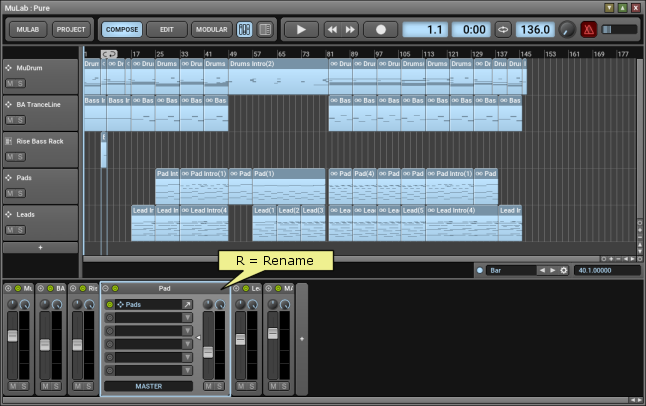
When using function shortcuts (in fact, when using software in general) it's important to understand that the keys you press on your computer keyboard will go to the focused component.
Imagine we have assign the [R] key to the "Rename" function. Then when the GUI focus is on a rack, pressing [R] will rename the rack:
But when the gui focus is on a track, pressing [R] will rename the track:
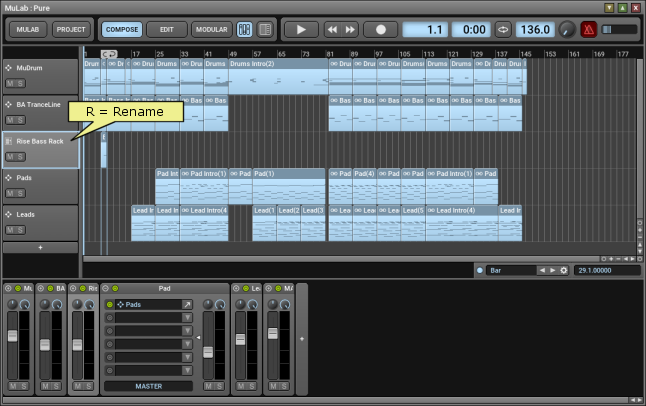
The GUI focus shifts to the last component you clicked on with left, right or middle mouse button, or on which you scrolled the mouse-wheel. You can make the app draw a colored rectangle around the currently focused GUI component by setting the "Draw GUI Focus Box" preference to eg 50% or 100%.
The difference between Generic and Specific shortcuts
First of all, in fact it's about the same functions.
So what's the difference between mapping [R] to Rename or to Sequence->Rename?
Well, imagine we've mapped [R] to "Rename". Now if we press [R] in the Composer, then which object do you want to rename? The composition, the selected sequence, the track..? There could be several possibilities there. The app will try to make the most logical choice, depending on the focus and selection.
But there maybe situations where the shortcut you press doesn't trigger the function you intended. And so by choosing a specific target function you can more specifically indicate what you want.
Generally, as a guideline, it's best to simply choose the generic functions, then when you notice there is a unwanted ambiguity, you can indicate a more specific function.
More Info
- To avoid bloating the context menus too much with very specific functions, some functions are only available via a shortcut. For example "Show Clipboard Content" is only available via a shortcut.
- Your system may have mapped certain key combinations for special purposes, which means they're not available for this MuTools app. If you don't see the expected key combination in the "Shortcut" field, it's not available.
- While a context menu is open pressing Alt+S lets you quickly assign a shortcut to the highlighted option.